
Today, finding people via mobile phone has become much simpler thanks to apps developed for real-time location tracking. With just a few taps, it's possible to use these features to keep track of family members, share routes, and increase safety in daily life.
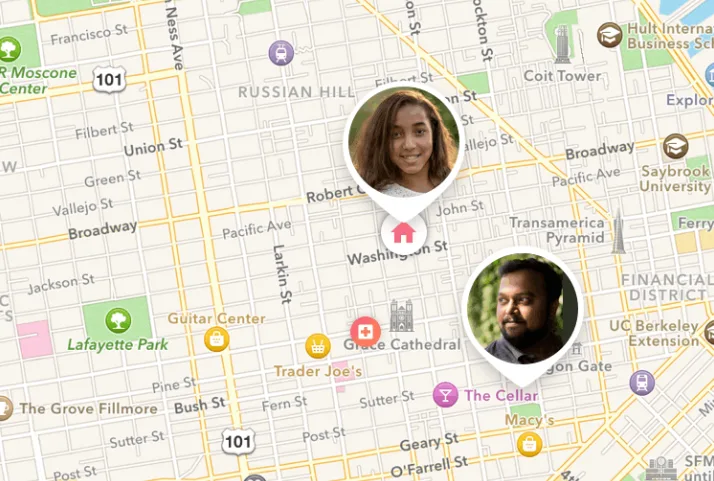
Furthermore, the popularization of smartphones has led to location-based apps becoming increasingly comprehensive and user-friendly. Currently, all you need to do is download an app from the Play Store or App Store, complete a quick setup, and enjoy features that help locate authorized individuals, share your location, and track movements directly from your phone.
Similarly, these apps can be useful in a variety of situations, whether during a trip, on the way to work, while children are returning from school, or even to meet friends at events. Thus, the practicality of using a mobile app makes tracking much more convenient, provided that all the people involved agree to share their location.
📱 Life360: Track your family's location with greater peace of mind.
Life360 is one of the best-known apps when it comes to location sharing among family and friends. The app allows you to create private groups, called circles, in which each participant can voluntarily share their real-time location.
In addition, the app offers features such as a history of visited locations, arrival and departure alerts for specific addresses, and emergency notifications. Those wishing to download an app to increase family safety can search for Life360 on the Play Store or App Store and check which features are available for free or by subscription.
Google Family Link
Google Family Link was created primarily to help parents and guardians monitor their children's and teenagers' cell phone usage. In addition to parental control tools, it also allows you to view the location of the linked device, provided sharing is enabled.
Furthermore, the app works in conjunction with a Google account and offers a relatively simple setup. It can be downloaded for free from the Play Store and, depending on the device, is also supported for iPhones through official Google apps.
Find (Apple)
The Find My app comes pre-installed on most iPhones, iPads, and other Apple devices. It allows you to locate lost devices and share their location with family and friends who authorize this sharing.
Therefore, users of the Apple ecosystem often find the integration between iPhone, iPad, Apple Watch, and Mac quite practical. If it becomes necessary to reinstall the application, simply search for it in the App Store and check its availability for the device being used.
Google Maps
Although famous for its GPS navigation, Google Maps also has a very useful real-time location sharing function. This allows a person to choose to share their location for a specific period or continuously with selected contacts.
Furthermore, this feature works on both Android and iPhone, making the app a convenient option for those who already use the service daily. Simply access the Play Store or App Store to download the app or keep it updated before using the feature.
GeoZilla
GeoZilla is another widely used app for family location tracking. Its main purpose is to facilitate location sharing among family members, offering features such as automatic notifications when someone arrives at or leaves previously registered locations.
Furthermore, the app features a simple interface and compatibility with major mobile operating systems. Those wishing to install an app to monitor family members can search for GeoZilla on the Play Store or App Store and check the available features according to their region.
Geo Tracker
Geo Tracker is primarily intended for those who wish to record routes during hikes, cycling, trips, or other outdoor activities. Although not exclusively focused on locating people, it can share routes and location information when used according to its functionalities.
In addition, the app allows you to track routes with good accuracy using your smartphone's GPS. Before downloading the app, it's worth checking its compatibility with your device and the features available in the official store.
How to choose the best app for you
First, it's important to check if the app only offers location sharing with the participants' permission. This is a fundamental aspect to guarantee privacy and security during use. Furthermore, official apps usually receive frequent updates, offering constant improvements and greater data protection.
Another important point is to check compatibility with Android and iPhone. Some apps offer exactly the same features on both systems, while others have differences between the Play Store and the App Store. Therefore, it's worth checking the store information before downloading now.
It's also interesting to look at additional features, such as automatic notifications, location history, temporary sharing, integration with other devices, and ease of setup. In fact, reading reviews from other users can be very helpful in choosing the free app that best suits your needs.
Tips for getting the most out of these apps on your phone.
For a more efficient experience, always keep the app updated via the Play Store or App Store. Additionally, only allow the permissions truly necessary for the GPS to function correctly and regularly review who has access to your shared location.
Similarly, prefer to install apps only from official app stores and avoid unknown apps that promise to track people without their consent. Besides posing privacy risks, this type of promise usually violates platform policies and can compromise the security of your device.
Conclusion
Location-based apps have made it much easier to share your real-time location with family and friends in a transparent and authorized way. Whether it's to increase security, keep track of children, organize meetings, or facilitate travel, there are several reliable options available for Android and iPhone.
Therefore, before downloading, compare the features of each app, check its compatibility, and always look for the official version on the Play Store or App Store. This way, you can download the app that best suits your needs and use all its features conveniently, safely, and with respect for the privacy of those involved.