
Nowadays, it has become much easier to edit images directly from your cell phone, thanks to apps that offer advanced tools in a practical and accessible way for anyone, without needing a computer.
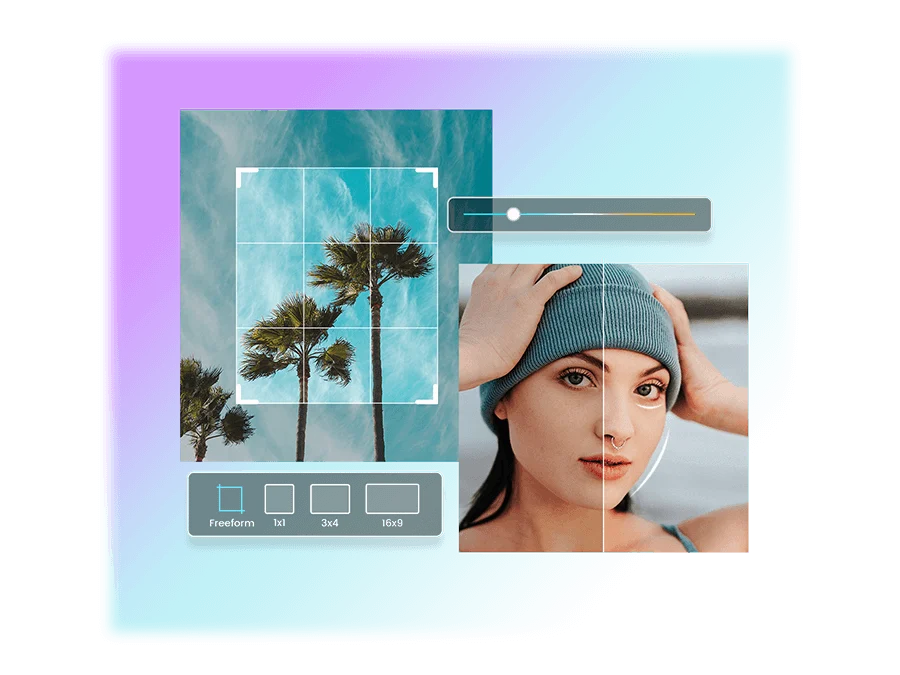
Furthermore, the popularity of this type of app has grown because smartphones have evolved and now offer better performance for photo editing. Therefore, any user can make adjustments, apply effects, improve image quality, and quickly share the results using only a mobile app.
Therefore, whether at home, while traveling, at work, at college, or even while waiting for an appointment, editing photos on a smartphone has become a simple task. Furthermore, the ability to use your phone anywhere ensures greater convenience for creating beautiful images ready to share on social media or keep as a memento.
📱 Adobe Lightroom: Transform your photos with professional quality directly on your phone.
Adobe Lightroom is one of the best-known apps when it comes to editing photos on your mobile phone. Developed by Adobe, it offers comprehensive tools for adjusting lighting, colors, contrast, sharpness, and various other details that make a difference in the final result of the images.
Furthermore, the app was developed to cater to both beginners and more experienced users. Therefore, its interface facilitates learning, allowing anyone to improve their photographs without needing to master professional editing techniques.
Another highlight is that the application works non-destructively. This means that changes made to the image can be modified or removed later, preserving the original photo. In this way, the user can experiment with different styles without risking losing the file.
Lightroom also offers synchronization for those using an Adobe account, allowing continued editing across different compatible devices. However, some features depend on the type of subscription available to each user.
Those looking to download a photo editing app will find Adobe Lightroom available for download on the Play Store and the App Store, depending on device compatibility. Before installing the app, it is recommended to check if your operating system version meets the requirements listed by the official store.
After the download is complete, simply open the application, log in with an Adobe account, or create one for free when available. Then, the user can grant the necessary permissions to access the image gallery and begin editing their photos immediately.
Among the app's main features are adjustments for exposure, brightness, contrast, shadows, highlights, color temperature, saturation, and sharpness. In addition, there are specific controls for tonal curves, color mixing, and noise reduction in photographs taken in low-light environments.
Another widely used feature is presets, also known as pre-settings. They allow you to quickly apply an editing style to a photo. After that, the user can customize each adjustment to achieve a result even closer to the desired effect.
In addition to editing tools, Lightroom offers features for cropping, horizon alignment, and perspective correction. This means that photographs that are slightly tilted or distorted can be easily adjusted using just a mobile phone.
The app also allows you to organize images into albums, making it easier to manage large photo collections. This is especially helpful for those who frequently edit many images for work, studies, travel, or social media.
Another important benefit is the ability to work with files in different compatible formats. Depending on the device and version used, some advanced features may be available for certain file types, offering greater flexibility during editing.
Adobe Lightroom works on both Android and iPhone apps. However, some functions may vary depending on the installed version, the device model, or the availability of features in each operating system.
Regarding free features, the app offers several tools sufficient for most users. However, certain advanced functionalities are part of the subscription services. Therefore, it's worth checking which features are available for free before deciding to purchase an additional plan.
Regarding security, Lightroom uses the official distribution systems of the Play Store and the App Store. Therefore, it is recommended to download only from official stores, avoiding modified versions or those made available by unknown sources.
Furthermore, the app only requests the permissions necessary to access photos and perform its functions correctly. Even so, it's important to review the permissions granted in the phone's operating system whenever you deem it necessary.
In practice, Lightroom is extremely useful for anyone who wants to improve travel photos, portraits, landscapes, products for sale, academic work, professional records, or images intended for social media. Many content creators also use the application to maintain a consistent visual standard in their publications.
Key features that make this app stand out.
One of Adobe Lightroom's greatest strengths is its balance between simplicity and advanced features. First, the application allows beginner users to make basic adjustments with just a few taps. At the same time, it offers detailed controls for those who want a higher level of customization during editing.
Furthermore, the quality of the adjustments is quite remarkable. Instead of simply applying pre-made filters, the user can modify virtually every aspect of the photograph. This makes it possible to recover details in very bright or very dark areas, adjust the color balance, and create a more natural result.
Another important highlight is the ability to save edits as custom presets. This allows those who frequently edit photos in the same style to quickly apply their favorite settings to new images, saving considerable time in the process.
The app also streamlines workflow for those who frequently publish content. Therefore, photographers, digital influencers, small business owners, and content creators can prepare images directly on their smartphones, without needing a computer for more common adjustments.
Furthermore, performance is usually quite efficient on compatible devices. Although processing time may vary depending on the phone model and image size, the app offers a smooth experience for most editing tasks.
Another positive aspect is the app's constant evolution. Updates can bring performance improvements, new features, and important bug fixes. Therefore, keeping the app updated helps you take advantage of new functionalities and have a more stable experience.
Tips to get the most out of the app
To achieve even better results, it's recommended to explore each tool individually before applying multiple adjustments at once. This makes it easier to understand how brightness, contrast, saturation, and temperature influence the final appearance of the photograph.
Furthermore, using presets only as a starting point usually yields more natural results. After applying a preset, it's worth manually adjusting some parameters to adapt the edit to the specific characteristics of each image.
Another important tip is to always keep the app updated through the Play Store or the App Store. This way, you'll have access to performance improvements, new features, and any security patches released by the developers.
It's also a good idea to periodically review the permissions granted to the app and organize photos into albums. This makes it easier to find images to edit and improves the organization of your photo library over time.
Finally, it's worth experimenting with different export settings when saving images. Depending on the purpose, such as posting on social media, sharing via messaging apps, or archiving photos, small changes in quality and resolution can make a difference in file size and the final result.
Conclusion
Adobe Lightroom has established itself as one of the leading photo editing tools for mobile devices because it combines advanced tools, an intuitive interface, and features that cater to everyone from beginners to people who work with images daily. Furthermore, the ability to use the mobile app in various situations makes the editing process much more practical.
Therefore, if you're looking for a free app with excellent features to improve your photographs, it's worth checking out Adobe Lightroom on the Play Store or the App Store, depending on your device. After downloading and installing the app, you can start editing images directly on your phone, enjoying a complete, practical experience suitable for various everyday needs.